01 - First render
A sphere lit by the Sun, seen by a camera: the smallest complete scene, and the steps that every render takes.
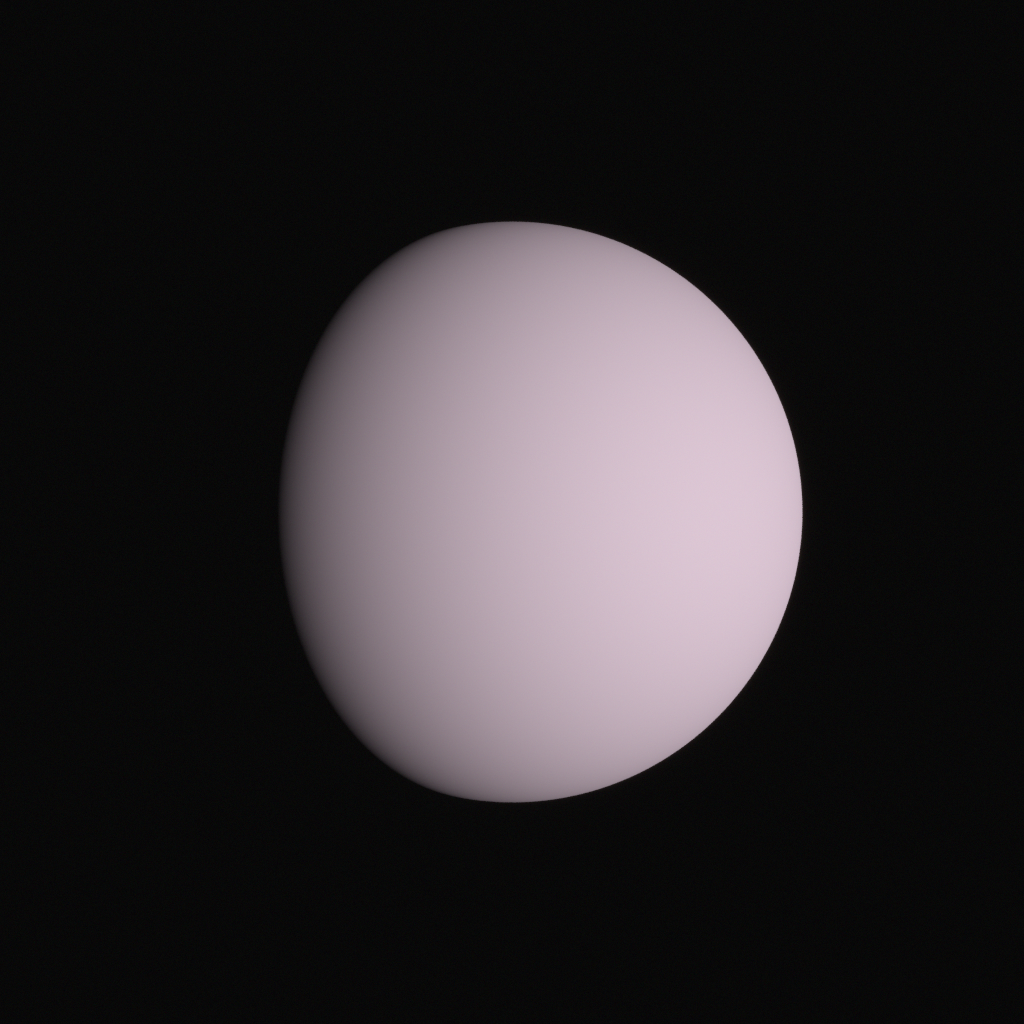
Data
None: everything in it is built in code.
Run
From this folder, in Python:
python first_render.py
or in C++, built as in Running the examples:
../../build/01_first_render
Each writes its images to output/, in the folder it runs from.
Source
The complete example, in both languages. View this example on GitHub.
"""
01 - First render

Demonstrates:
    - Choosing the spectral type a scene renders in (huira.rgb: red, green and blue bins)
    - Building a primitive: a geometry (a sphere), a BSDF, and a material with an albedo
    - Placing assets in the scene with instances, at positions in meters
    - A sun light, whose irradiance follows from its distance (1 AU gives the solar constant)
    - A camera model (focal length, sensor, f-stop) and an instance of it to look through
    - An exposure interval, a SceneView of the scene over it, and an observation mode
    - Rendering a frame buffer's sensor response, and saving it as a PNG
    - Turning on Huira's log output

Builds on: nothing; start here.
Data: none

Run:
    python first_render.py

Writes:
    output/01_first_render.png
"""

from pathlib import Path

import huira
from huira.rgb import Scene, SceneView, Renderer, SpectralBins

from huira.units import Meter as m
from huira.units import Millimeter as mm
from huira.units import AstronomicalUnit as au
from huira.units import Microsecond as us


def main():
    # Huira logs what it does (loading files, building the scene, rendering). Print the
    # informational messages and above to the console:
    huira.enable_console_info()

    # A Scene holds everything that is rendered. Its spectral type is chosen by the module it
    # comes from: huira.rgb makes pictures, filling red, green and blue channels separately, as
    # renderers usually do. All other spectral types (such as huira.visible8 and huira.swir8)
    # simulate a real sensor, whose pixels each collect one value from every wavelength (see
    # example 11). Everything in the scene shares the type.
    scene = Scene()

    # Assets are the things a scene can hold. A primitive is a geometry with a material; a
    # material is a BSDF (how light reflects off the surface) with its parameters, such as the
    # albedo. Here, a sphere 1 m in radius with a diffuse (Lambertian) surface of albedo 0.5:
    sphere = scene.add_ellipsoid(m(1), m(1), m(1))
    lambertian = scene.new_bsdf_lambertian()
    gray = scene.new_material(lambertian)
    gray.set_albedo_factor(SpectralBins(0.5))
    ball = scene.add_primitive(sphere, gray)

    # Assets are not in the scene until they are instanced: an instance places an asset in the
    # scene graph. scene.root is the top of the graph, and positions are in meters unless given
    # in other units.
    ball_instance = scene.root.new_instance(ball)
    ball_instance.set_position(m(0), m(0), m(0))

    # The sun is a light like any other, and its irradiance falls off with distance: placed
    # 1 AU away, it delivers the solar constant (about 1361 W/m^2). This places it 45 degrees
    # off the camera's line of sight, so the sphere is partly in shadow.
    sun_light = scene.new_sun_light()
    sun = scene.root.new_instance(sun_light)
    sun.set_position(au(0.7071), m(0), au(-0.7071))

    # A camera model describes the camera: its optics and its sensor. A 50 mm lens on a
    # 36 mm wide, 1024 x 1024 pixel sensor, at f/16:
    camera_model = scene.new_camera_model()
    camera_model.set_focal_length(mm(50))
    camera_model.configure_sensor_from_size((1024, 1024), mm(36))
    camera_model.set_fstop(16)

    # Like any asset, a camera is placed with an instance. Huira's cameras look along their +z
    # axis, with +y down the image (the OpenCV convention; example 02 shows Blender's). With no
    # rotation, a camera 5 m down the -z axis looks straight at the sphere:
    camera = scene.root.new_instance(camera_model)
    camera.set_position(m(0), m(0), m(-5))

    # Rendering happens over an exposure: the interval the shutter is open. Sunlight is bright:
    # at f/16, a tenth of a millisecond fills the sensor without saturating it. Nothing here
    # moves, so the time itself does not matter yet; it will once SPICE and motion come in.
    time = huira.Time("2026-01-01T00:00:00")
    exposure = huira.Interval.from_start(time, us(100))

    # A SceneView is the scene as the camera sees it over the exposure: by default, as a real
    # camera sees it, with the time light takes to arrive and the aberration from the camera's
    # own motion (ABERRATED_STATE). Example 14 shows the other observation modes.
    scene_view = SceneView(scene, exposure, camera)

    # The frame buffer holds the rendered images. The sensor response is what the camera's
    # sensor reads out; example 04 shows the other images a frame buffer can hold.
    frame_buffer = camera_model.make_frame_buffer()
    frame_buffer.enable_sensor_response()

    # The renderer path traces the scene view into the frame buffer. More samples per pixel
    # mean less noise, and a longer render.
    renderer = Renderer()
    renderer.set_samples_per_pixel(64)
    renderer.render(scene_view, frame_buffer)

    # The sensor response is linear: convert it to sRGB to view it as a picture.
    output_dir = Path("output")
    output_dir.mkdir(exist_ok=True)
    huira.write_png(
        output_dir / "01_first_render.png", huira.linear_to_srgb(frame_buffer.sensor_response)
    )


if __name__ == "__main__":
    main()
// 01 - First render
//
// Demonstrates:
//   - Choosing the spectral type a scene renders in (huira::RGB: red, green and blue bins)
//   - Building a primitive: a geometry (a sphere), a BSDF, and a material with an albedo
//   - Placing assets in the scene with instances, at positions in meters
//   - A sun light, whose irradiance follows from its distance (1 AU gives the solar constant)
//   - A camera model (focal length, sensor, f-stop) and an instance of it to look through
//   - An exposure interval, a SceneView of the scene over it, and an observation mode
//   - Rendering a frame buffer's sensor response, and saving it as a PNG
//   - Turning on Huira's log output
//
// Builds on: nothing; start here.
// Data: none
//
// Run:
//   ./01_first_render
//
// Writes:
//   output/01_first_render.png

#include <filesystem>

#include "huira/huira.hpp"

namespace fs = std::filesystem;

using namespace huira::units::literals;

// The spectral type the scene renders in. huira::RGB makes pictures: it fills red, green and blue
// channels separately, as renderers usually do.  All other spectral types (such as huira::Visible8
// and huira::SWIR8) simulate a real sensor, whose pixels each collect one value from every
// wavelength (see example 11). Everything in a scene shares it.
using TSpectral = huira::RGB;

int main()
{
    // Huira logs what it does (loading files, building the scene, rendering). Print the
    // informational messages and above to the console:
    huira::enable_console_info();

    // A Scene holds everything that is rendered.
    huira::Scene<TSpectral> scene;

    // Assets are the things a scene can hold. A primitive is a geometry with a material; a
    // material is a BSDF (how light reflects off the surface) with its parameters, such as the
    // albedo. Here, a sphere 1 m in radius with a diffuse (Lambertian) surface of albedo 0.5:
    auto sphere = scene.add_ellipsoid(1_m, 1_m, 1_m);
    auto lambertian = scene.new_bsdf_lambertian();
    auto gray = scene.new_material(lambertian);
    gray.set_albedo_factor(TSpectral{0.5f});
    auto ball = scene.add_primitive(sphere, gray);

    // Assets are not in the scene until they are instanced: an instance places an asset in the
    // scene graph. scene.root is the top of the graph, and positions are in meters unless given
    // in other units.
    auto ball_instance = scene.root.new_instance(ball);
    ball_instance.set_position(0_m, 0_m, 0_m);

    // The sun is a light like any other, and its irradiance falls off with distance: placed
    // 1 AU away, it delivers the solar constant (about 1361 W/m^2). This places it 45 degrees
    // off the camera's line of sight, so the sphere is partly in shadow.
    auto sun_light = scene.new_sun_light();
    auto sun = scene.root.new_instance(sun_light);
    sun.set_position(0.7071_au, 0_m, -0.7071_au);

    // A camera model describes the camera: its optics and its sensor. A 50 mm lens on a
    // 36 mm wide, 1024 x 1024 pixel sensor, at f/16:
    auto camera_model = scene.new_camera_model();
    camera_model.set_focal_length(50_mm);
    camera_model.configure_sensor_from_size({1024, 1024}, 36_mm);
    camera_model.set_fstop(16);

    // Like any asset, a camera is placed with an instance. Huira's cameras look along their +z
    // axis, with +y down the image (the OpenCV convention; example 02 shows Blender's). With no
    // rotation, a camera 5 m down the -z axis looks straight at the sphere:
    auto camera = scene.root.new_instance(camera_model);
    camera.set_position(0_m, 0_m, -5_m);

    // Rendering happens over an exposure: the interval the shutter is open. Sunlight is bright:
    // at f/16, a tenth of a millisecond fills the sensor without saturating it. Nothing here
    // moves, so the time itself does not matter yet; it will once SPICE and motion come in.
    huira::Time time("2026-01-01T00:00:00");
    huira::Interval exposure = huira::Interval::from_start(time, 100_us);

    // A SceneView is the scene as the camera sees it over the exposure: by default, as a real
    // camera sees it, with the time light takes to arrive and the aberration from the camera's
    // own motion (ABERRATED_STATE). Example 14 shows the other observation modes.
    huira::SceneView<TSpectral> scene_view(scene, exposure, camera);

    // The frame buffer holds the rendered images. The sensor response is what the camera's
    // sensor reads out; example 04 shows the other images a frame buffer can hold.
    auto frame_buffer = camera_model.make_frame_buffer();
    frame_buffer.enable_sensor_response();

    // The renderer path traces the scene view into the frame buffer. More samples per pixel
    // mean less noise, and a longer render.
    huira::Renderer<TSpectral> renderer;
    renderer.set_samples_per_pixel(64);
    renderer.render(scene_view, frame_buffer);

    // The sensor response is linear: convert it to sRGB to view it as a picture.
    fs::create_directories("output");
    huira::write_image_png("output/01_first_render.png",
                           huira::linear_to_srgb(frame_buffer.sensor_response()));
}